
Tap Color® Color by number
Tap Color StudioBoard
4.741.89K Reviews
- Version
- 8.9.4
- Installs
- 10.00M
- Age Rating
- Everyone
Screenshots



Our Review of Tap Color® Color by number
 Analysis by Appyee
Hey there! So, let’s dive into Tap Color® Color by Number. If you’re into coloring books and looking for a way to relax, this app might just be the perfect fit for you. I’ve spent some time playing around with it, and here’s what I think.
A gentle first impression
Tap Color® is a free board game from Tap Color Studio, built around a familiar activity: filling numbered spaces until an image takes shape. The straightforward idea is part of its appeal. I can open it when I want something quiet to do without learning a complicated rule set or planning a long session. It has a 4.7 average from around 269,000 ratings, and more than 10 million installs, which suggests that this simple format has found a broad audience.
It is rated for Everyone, and the current version is 8.9.4, with Android 6.0 as the minimum operating system. Those details make it easy to judge whether it fits an older device or a family tablet before getting started. The game is free to download, although in-app purchases range from $0.99 to $99.99 per item, so I would treat optional spending as something to check rather than assume it is part of the basic experience.
Coloring as a small daily ritual
First off, downloading and installing the app is a breeze. It’s available on both Android and iOS, so whether you’re team Apple or team Android, you’re covered. Once you open it up, you’re greeted with a colorful and friendly interface that just invites you to start coloring.
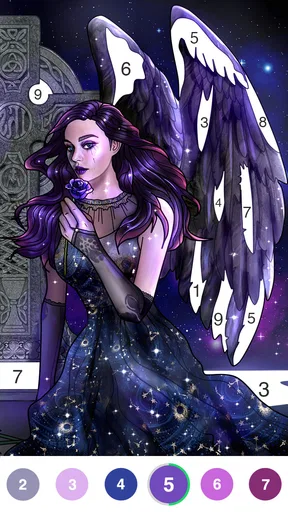
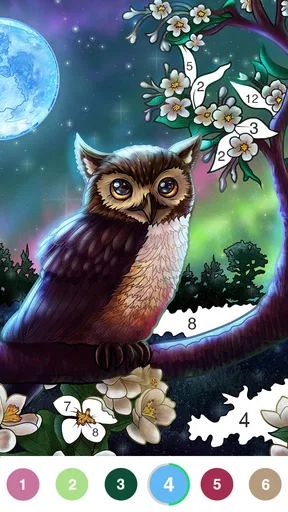
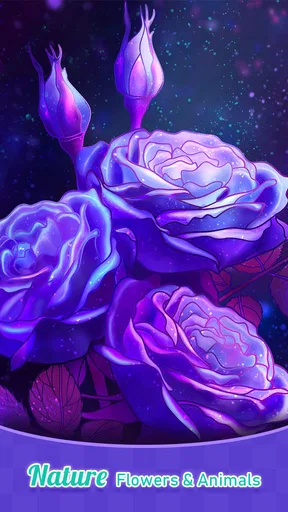
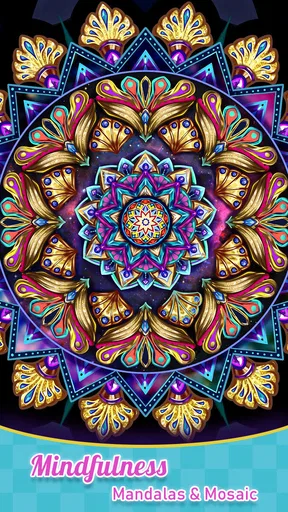
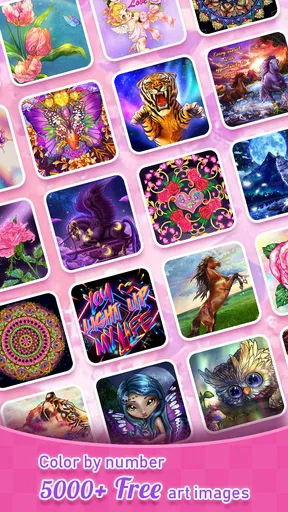
The app features a wide range of categories to choose from. You’ve got everything from animals and flowers to mandalas and fantasy scenes. There’s definitely something here for everyone, whether you’re a newbie or a seasoned colorist.
How the artwork sets the mood
The coloring pages are the main setting here, rather than a world with characters or a story to follow. Moving between subjects lets me choose a mood to match the moment: a nature image can feel restful, while a more intricate design gives me something to concentrate on. That variety matters because the same tap-to-fill action can feel very different depending on how much detail a picture contains.
Unlike a physical coloring book, there is no need to gather pens or decide which colors to use. That makes this a handy choice for a spare few minutes, but the digital format also means the pleasure comes from completing the guided image rather than making freehand marks. If choosing a palette and drawing outside the lines is what you enjoy most, a traditional coloring app with open-ended tools—or paper and pencils—will suit you better.
The Coloring Experience
Now, onto the meat of the app—the coloring itself. You tap on a number, and the app fills in the corresponding section with color. It’s super satisfying, and there’s this almost meditative quality to it. I found myself getting lost in the process, which is exactly what you want from a coloring app.
The colors are vibrant, and the finished pictures look great. Plus, there’s an option to share your masterpieces with friends directly from the app. Who doesn’t like showing off their artistic skills?
One useful way to approach a detailed page is to work in short passes instead of hunting randomly. I start with the colors that have several visible areas, then use the hint system for a stubborn leftover patch rather than spending the whole session scanning the image. That keeps the activity relaxing instead of turning it into a test of eyesight. On a small phone screen, zooming in on crowded sections can also make taps more deliberate; on a tablet, the larger canvas is naturally easier to inspect.
Sound, rhythm, and a sensible stopping point
The game’s rhythm comes from the repeated cycle of finding a numbered section, tapping it, and watching the picture fill in. It is a calm loop, not a fast challenge, so I find it best suited to a break when I want to focus on one small task. If I only have a short pause, I can make progress without needing to remember a complicated sequence when I return.
I would not choose it as a substitute for a music app or a sound-focused game. The attraction is the visual process and the steady pace, and I can keep the experience low-key by playing in a quiet setting or lowering my device’s sound. The key trade-off is that repeated tapping can become monotonous if I want more dramatic feedback, changing mechanics, or a stronger sense of progression.
Features and Goodies
Tap Color® Color by Number also throws in some nice features to enhance your experience. There’s a handy hint system for those tricky areas where you just can’t find that last number. Thank goodness for that, because I’d be lost without it!
The app updates pretty frequently with new content, so you’re never going to run out of pictures to color. This keeps things fresh and exciting.
Another cool feature is the daily challenges. They add a fun twist and give you something to look forward to every day. Completing these challenges can earn you rewards, which is a nice bonus.
For a realistic everyday routine, I’d use a daily challenge as a starting point when I have a few minutes after lunch, then continue with a page that matches my energy. The challenge offers a clear reason to open the game, while choosing a separate picture lets me avoid feeling obliged to finish one particular design in a single sitting. If I’m coloring with a child, I’d let them choose the image and handle the number-matching at their own pace; the simple interaction is approachable, though it is still a screen activity rather than a hands-on craft.
Who will enjoy it, and who may want something else
I think this is a good fit for people who like paint-by-number books, want an easy way to occupy a short break, or prefer a calm activity with a clear next action. It also suits anyone who enjoys seeing a picture gradually become complete without needing drawing skills. The large selection of subjects gives me a way to choose something visually appealing rather than being locked into one theme.
I would skip it if I wanted a competitive board game, deep strategy, freehand painting, or a strong story. It is also not ideal when I am impatient with repetitive tapping or want every session to introduce a new mechanic. Compared with a physical coloring book, it is more convenient and guided, but less tactile; compared with a free-drawing app, it is easier to begin but offers less creative control. Those differences are more important than the number of available pages when deciding whether it is right for you.
Room for Improvement?
While Tap Color® is pretty awesome, it’s not without its quirks. Sometimes, the ads can be a bit much. I get that they need to keep the app free, but having an ad pop up every few minutes can be a little jarring.
There’s an option to remove ads with a subscription, which also gives you access to premium content. If you find yourself using the app a lot, it might be worth considering.
Before spending, I’d first try a few different kinds of pages and see whether the basic coloring loop holds my attention beyond the first session. In-app purchases can add up across a range of prices, so it is sensible to check the purchase screen carefully and decide what, if anything, is worth paying for. If ads interrupt the calm you came for, that friction may be enough to make another coloring option a better fit, even if you like the artwork.
Final Thoughts
Overall, I’ve really enjoyed my time with Tap Color® Color by Number. It’s a fantastic way to unwind and let your creative juices flow. The app is user-friendly, packed with features, and offers a vast array of pictures to color.
If you’re a fan of coloring or just looking for a new hobby to de-stress, I’d definitely recommend giving this app a go. Grab your device, get comfy, and start tapping away!
My recommendation comes with one condition: go in expecting a soothing, guided coloring activity, not a full-featured art studio or a traditional strategy game. For that particular purpose, its subject variety, hints, and daily challenges give the simple mechanic enough structure to make it easy to return to. If that sounds like the kind of quiet routine you want, it is worth trying; if you need more freedom, less repetition, or fewer interruptions, another format will probably leave you happier.
Verdict
Strengths of Tap Color® Color by number
- Wide variety of images to color.
- User-friendly interface design.
- Regularly updated with new images.
- Offline mode available for coloring.
- Customizable color palettes.
Limitations of Tap Color® Color by number
- Frequent in-app ads.
- Limited free images without purchase.
- Some images require internet to download.
- Coloring tools are basic.
- Subscription model can be costly.
Other Releases by Tap Color Studio
View All
Tap Color Pro: Color By Number
Board4.5

Color Oasis - Color by Number
Board4.8

Sortime - Goods Puzzle Sorting
Puzzle4.4
Similar Picks in This Category
View All
Ludo King®
Gametion4.1

Ludo
Yarsa Games4.6

Tile Master® - Matching Game
Higgs Studio3.6

Checkers Online
CC Games4.6

Dominoes
Loop Games4.7

Chess
Chess Prince4.6
Frequently Asked Questions
What is Tap Color® Color by Number and how does it work?
Tap Color® Color by Number is a coloring app designed to provide a relaxing experience through painting by numbers. Users select from a wide variety of images and fill in the colors by matching them with the corresponding numbers. The app offers a simple, yet satisfying way to enjoy art without needing advanced artistic skills.
Is Tap Color® Color by Number free to use?
The app is free to download and offers a selection of images to color at no cost. However, it also includes in-app purchases and subscription options that unlock additional features and content. These may include premium images, ad-free experience, and more advanced tools, providing a richer user experience.
What features does Tap Color® Color by Number offer?
Tap Color® Color by Number provides a diverse range of features including daily updates of new images, a wide variety of categories such as animals, landscapes, and mandalas, and an intuitive interface. It also saves progress automatically, allowing users to pick up where they left off, and supports sharing completed artworks on social media.
Can children use Tap Color® Color by Number safely?
Yes, Tap Color® Color by Number is suitable for children and adults alike. The app is designed to be family-friendly, with content that is appropriate for all ages. Parents should be aware of in-app purchases and may want to supervise younger users to prevent accidental spending.
Does Tap Color® Color by Number require an internet connection to function?
While Tap Color® Color by Number can be used offline, an internet connection is required for certain features. Online access allows for downloading new images, accessing premium content, and sharing completed artworks. Users can still enjoy coloring pre-downloaded images without an internet connection.
Play our best games!


